Git LogoToday, we are proud to announce the immediate availability of Git hosting on all Unfuddle accounts. For those of you have not yet heard of Git, it is a distributed version control system that can have some distinct advantages over Subversion for certain teams.

The release of Git comes with a number of exciting improvements to repositories in Unfuddle:

  1. Unlimited Repositories. Each Unfuddle account may now have an unlimited number of Subversion or Git repositories. Mix and match as you will!

  2. Project/Repository Associations. Each Unfuddle project may now be associated with any number of repositories. This means that you can have a mix of Subversion and Git repositories associated with each of your projects.

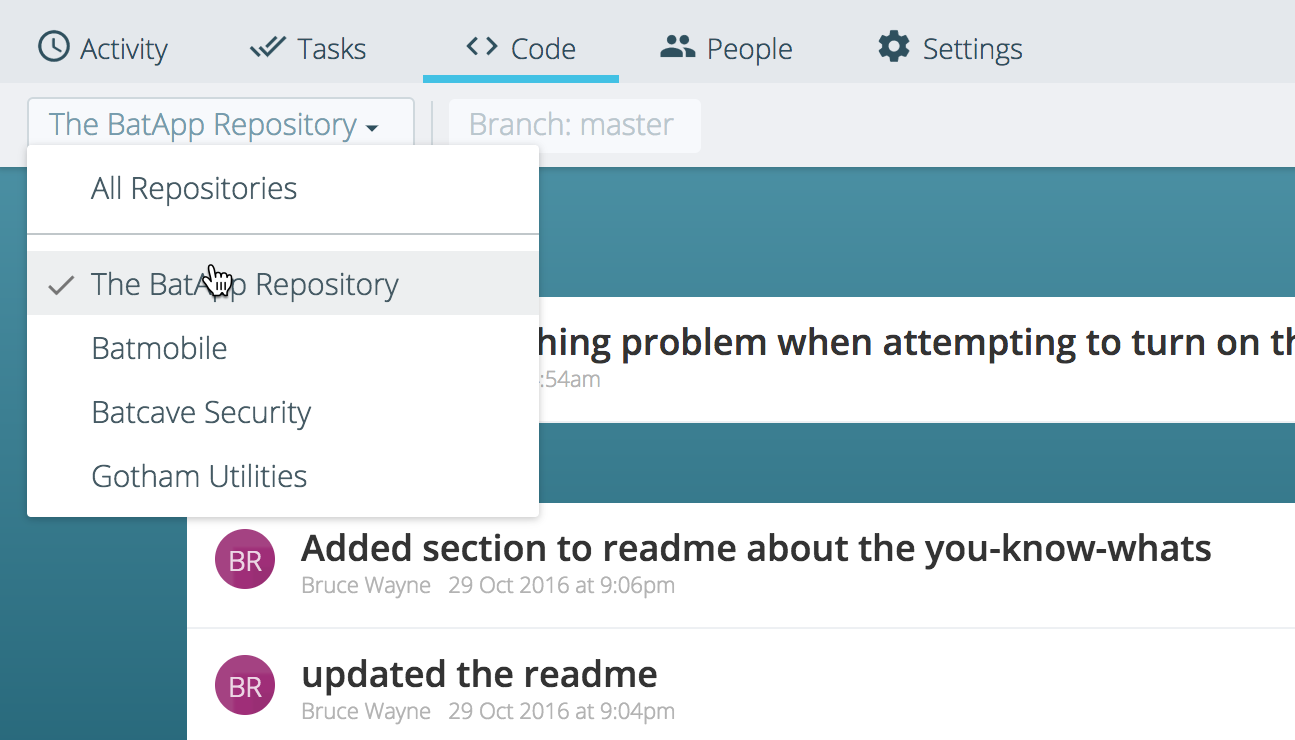
  3. Code ColoringRepository Browser. Unfuddle now sports a slick new repository browsing interface that makes it simple to view and analyze the contents of your repository right from your browser. One of the coolest things about the new interface is seamless syntax coloring for most commonly occurring file types.

  4. Repository Callbacks. Many of you have build or deployment processes that regularly “ping” your repositories to see if a new commit exists. In order to eliminate the need to “ping” at all, we have implemented the concept of a repository callback. If you provide us with a URL to which we can post, we will notify your servers of any commits that happen on your repository immediately after the commit occurs. Now that’s continuous integration!

To learn more about Git support in Unfuddle and how to get started, please see our Git Documentation, or just click on the new “Repositories” tab in your account. Please note that the Unfuddle API has also been updated to represent the new repository model.

Thanks to all of you who have taken the time to share your feedback. Unfuddle continues to grow with our industry and we have many new and exciting features on our roadmap!

OpenID LogoEarlier this evening, we rolled out a number of updates to Unfuddle. The most visible of these updates, and in direct response to your feedback, is support for OpenID.

Unfuddle currently supports OpenID as a means of authentication when accessing the web interface of your Unfuddle accounts. While OpenID has many benefits, one of the biggest advantages to Unfuddle users is a single signin that spans multiple Unfuddle accounts.

This means that you can setup each of your Unfuddle accounts to use the same OpenID. Once you have successfully signed into an Unfuddle account using your OpenID, you will then be able to access all of your other Unfuddle accounts associated with that same OpenID without having to sign in again.

To setup your OpenID for use with Unfuddle, simply sign into each of your Unfuddle accounts using your username and password. Then, click on “Personal Settings” in each account and enter your OpenID URL. Once you have saved your changes, you will be able to use either your OpenID or username and password to sign in to these accounts.

Additionally, we have added a number of export formats (like CSV and iCal) for both ticket and time tracking reports, accessible directly from the web interface.

RSS, CSV, iCal and more!

Another notable change with this release is that, for the first time since the launch of Unfuddle, many of the URL’s within Unfuddle have been changed, increasing their uniformity and similarity with the Unfuddle API. Please note that this will invalidate any exsiting links you may have out in the wild, including RSS and iCal feeds that you may have referenced from your clients. There is a new version of the Unfuddle Widget now available for download that references these new URL’s.

Our customers are growing and Unfuddle is committed to growing with them. Many of you have asked for more projects as well as the ability to archive projects that are no longer active. We are happy to say that we have added these features today.

To archive a project, an account administrator need simply click the “Archive” link on a project from the Projects tab. This places the entire project into a read-only mode, including its associated Subversion repository. If needed, the archived project can also be easily reactivated.

In addition to the project archival feature, you will find that we have upgraded our plans across the board, adding more people, storage, and projects for the same price to our customers. Of special note is that our FREE account now supports 200MB of space and two users. For a full plan comparison, see our plans page.

Thanks again to those of you who have shared such valuable feedback with us through both the community forums and emails. This feedback has truly grown Unfuddle into the product that it is today!

There is no doubt that the Ruby on Rails community has developed faster than any of us could have imagined. How does one keep up with it all?

Why, acts_as_conference in Orlando, Florida on February 8th and 9th, of course! This is going to be a concentrated time of learning and connecting for Ruby on Rails developers from all over. You’ll be brought up to date on the latest happenings in the Rails community, discover how Rails can play nicely with others, and hear insightful discussions on the business and philosophy of software development.

We are really excited to be both sponsoring and attending acts_as_conference. We have already heard that a number of Unfuddlers will be there too. If you are planning on being there, please be sure to drop us a line. We would love to meet you in person. We’ll be the ones wearing Unfuddle T-Shirts. Oops, so will all of you, since we are handing them out at the conference.

So you are still using Trac, eh? You’d love to switch to Unfuddle but you can’t bear the thought of having to move all that data over manually?

Well, we have the answer to your prayers. Trac2Unfuddle, our newest little utility based on the Unfuddle API, is a small Ruby script that will import your existing Trac projects into your Unfuddle account.

We all knew that the introduction of the Unfuddle API would make for some exciting new creations. Well this is one of them. Head on over to the Unfuddle Tools section of our website and get that Trac project moved into Unfuddle today!

Today, we are very pleased to announce the release of the Unfuddle API to all Unfuddle customers. This is a very exciting release for us all as it offers a tremendously powerful way to integrate Unfuddle into other applications and development processes.

The Unfuddle API offers direct access to practically every aspect of your Unfuddle account. It is completely RESTful and offers all resources in XML and JSON, as well as a number of other formats where appropriate (RSS, iCal, CSV, and others). We have had a number of users also report success integrating the Unfuddle API with ActiveResource, the dead-simple RESTful client found in the recently released Rails 2.0.

For those of you who cannot wait to take the Unfuddle API plunge, more information, including examples, can be found in the Unfuddle API Documentation. There is also a forum in the Unfuddle Community dedicated to to API topics.

It should be noted that the Unfuddle API is still wearing it’s BETA hat. Thanks to the help of our beta testers, the vast majority of the Unfuddle API has reached equilibrium. However, we wanted to broaden the opportunity for feedback one last time before giving the API its final seal of approval.

Is that a Widget in your Stocking?

It’s also the holiday season for many of us…and that means presents. In celebration of the holidays and the new Unfuddle API, our designer David, has whipped together the first version of a Mac OS Dashboard Widget for Unfuddle. Now you can monitor project activity, create tickets, time entries, and more, all from the comfort of your Mac desktop.

The icing on the cake is that the Unfuddle Dashboard Widget actually leverages a huge portion of the JSON interface to the new Unfuddle API. Cool, huh?

You can learn more and download the Unfuddle Mac OS Dashboard widget here.

Introducing Notebooks

November 15th, 2007

As many of you know, there have been two major features that we have had before us over the past couple of months: Notebooks and a full Unfuddle API. Today, we are very proud to be releasing Notebooks to the world.

While Unfuddle messages are good at capturing ephemeral conversation, there has been no way to author something like a specification or manual. Notebooks are a collection of related pages, often comprising documents such as specifications or reference documents. Each notebook can be thought of a stand-alone wiki.

Unlike many other wiki implementations in project management tools, each Unfuddle project can have any number of Notebooks. We have found this to be a great help in organizing our data, as traditional wikis can often become very sprawling and difficult to maintain.

You will now find a new tab titled “Notebooks” in each of your projects. Getting started is as easy as creating a new Notebook and starting to write!

NOTE: The default permission on Notebooks for all non-administrators is ‘None’. If you are currently in a project and you do not see the Notebooks tab, you should contact your project administrator for access.

Here are some of the highlights of Notebooks:

  • Each Notebook page is completely versioned, allowing you to quickly see history and compare differences between versions.
  • Notebooks can have any number of attachments, which can then be referenced from your pages.
  • Pages can be interlinked using simple Unfuddle markup.
  • All notebook pages are fully integrated into Unfuddle search, email notifications and RSS feeds.

Enjoy!

Account-wide Ticket Reports

Account-wide Ticket ReportsThat’s right – no more jumping between projects to view and manage your tickets! You can now view account-wide ticket reports from the Account Dashboard.

Account-wide ticket reports function just like project ticket reports. You can still make bulk updates to many tickets at once, and now you can sort or group by project as well as all the other available fields.

Currenly, only account administrators have permission to manage the account-wide ticket reports.

Plan Upgrades

We have also just upped the storage capacity of a number of our plans. The Compact, Corporate, and Enterprise plans now offer 750MB, 2GB, and 6GB of storage space, respectively. For more about the different plans please check out the new plan matrix.

Unfuddle Community Forum

Unfuddle CommunityIn preparation for some of the exciting features we have in our pipeline, we have decided that it is finally time to give Unfuddlers a home of their own. Come on down to http://unfuddle.com/community and meet your fellow Unfuddlers. Share your successes, give feedback and ask for help.

Ticket Associations and more!

August 30th, 2007

While we have been working hard on our upcoming wiki (yes, yes — we are implementing a wiki), we wanted to bring you a few things many of you have been asking for…

Ticket Associations

You have let us know how having the power to associtate tickets with one another would help, especially on larger projects. As of today, all Unfuddle accounts now have the ability to associate tickets with one another.

From any ticket, you can easily create the following types of associations: Parent, Child, Duplicate or Related. Sibling relationships are also deduced and displayed for convenience.

We are convinced that this feature has a huge potential to evolve the workflow of Unfuddle. Please let us know about any successes (or difficulties) you experience while using ticket associations.

Ticket Associations

Oh, and Cookies too…

CookiesIs anyone else sick of logging into Unfuddle umpteen times a week? In response to this seemingly universal malaise, we have gone ahead and added cookie-based authentication.

Now you can just check the “Remember Me” box when you sign in and you will be automatically logged into your account for two full weeks unless you clear your cookies or manually logout.

Don't let the silence fool you. The Unfuddle team has been working hard on some very exciting features in preparation for another big release later this summer. In the meantime, we wanted to bring you a little something that many of you have been asking for.

Powerful Subversion Commit Messages

Subversion commit messages are more powerful than ever. Unfuddle now parses incoming commit messages and appropriately resolves, closes, reassigns or comments upon tickets within your project.

The commands that can be used in your commit messages are as follows:

  • resolve (resolves, resolved, fix, fixes, fixed) will change the status of the specified tickets to Resolved. If your project is setup to automatically close tickets upon resolution, they will be closed as well.
  • close (closes, closed) will change the status of the specified tickets to Closed.
  • addresses (references, refs, re, see) will associate the Subversion Changeset with the specified tickets noting that the ticket was affected by the commit in some way.
  • assign (assigns, assigned, reassign, reassigns, reassigned) will reassign the specified tickets to the username that follows.

Here are some examples of how to use your newly discovered Unfuddle Judo skills:

> svn commit -m 'fixed #372 and #456 and closed #385'
> svn commit -m 'resolves #22 & reassigns #22 to david'
> svn commit -m 'refs #124, #125 and #129 and closes #126'

A few notes on syntax:

  • If you want Unfuddle to actually affect tickets in your project, each ticket number must be preceded by a hash (#) symbol, as shown in the examples above.
  • When reassigning tickets, the specified username must be preceded by the word "to" (i.e. "assign #25 & #26 to alex").

Enjoy!

Ask and You Shall Receive

April 19th, 2007

Well it certainly has been a busy week for us over here at Unfuddle. The response to the recent updates has been phenomenal. In addition to a good dose of encouragement, we received a lot of great feedback pertaining to some of the new features.

We have actually gone ahead and implemented some of these requests. Listed below are a few of the refinements.

Workflow Improvements

Close Ticket SimultaneouslyThe new release of Unfuddle sports a new ticket workflow. This was introduced to help larger or more formal teams manage ticket resolution. Typically a developer would resolve a ticket, then the creator or a QA person would then verify and actually close out the ticket. Many of you wrote in saying that this was a bit too heavy for you.

For those of you who wish to skip the “Verify and Close” step, we have now added a new “Close Ticket Simultaneously” checkbox to the ticket resolution panel. Whether or not the checkbox is checked by default is a per-project option that can be found in “Project Settings”.

Additionally, you can now specify the person to whom a ticket should automatically be assigned when the ticket is resolved. It can be automatically assigned to the Reporter, be unassigned completely, or remain assigned to the current assignee. This option can be set from the “Project Settings” tab.

Ticket Next/Previous Navigation

Improved Ticket NavigationNow, when you are viewing a ticket from a ticket report, you will notice a small set of links in the upper right hand corner of the screen. These links allow you to navigate back and forth through the ticket report. Now you won’t have to jump back and forth between screens!

Optional Time Tracking

Time Tracking is not for everyone. While the benefits of tracking your time can be great, it requires a lot of discipline. For those accounts that support time tracking, but do not wish to use it, we have now added the option to hide much of the time tracking interface. This can be set on a per-project basis from the “Project Settings” screen.

I want to thank you all again for being so active in making Unfuddle the best software project management tool out there. Keep those feedback requests coming – we’re listening!

As many of you know, we have been working tirelessly to bring you our first major release since the launch of Unfuddle. While we have been quiet, we have been taking months of feedback and integrating your ideas in such a way as to keep Unfuddle as simple and as elegant as it has been since its launch.

Here is a brief overview of the biggest changes. We know you will like them!

Multiple Projects per Account

Multiple ProjectsSince the launch of Unfuddle, there has been one feature request that has dominated the feedback scene: the ability to have multiple projects within a single Unfuddle account. Well, we have heard you and are very proud to say that all Unfuddle accounts now support multiple projects. The number of projects you and your team can manage is dependent upon your current plan.

This means one set of users across all of your projects, one unified login, and more bang for your buck!

Tickets, Tickets, Tickets

Chances are, if you are a developer, you live in the tickets. With the new update, there are a number of changes to the ticketing system.

First off is the ability to create custom ticket reports. We have created a stock set of reports for all existing projects, but these reports can easily be changed to group, sort and find whatever your little heart desires. You wanted flexible reporting and here it is.

Next is an improved ticket workflow. One of the weaknesses of Unfuddle up until now has been the inability to verify that a closed ticket has, in fact, been fixed. This was especially difficult for larger teams. Now, when a developer closes a ticket, it is immediately reassigned to the reporter who can then verify and close the ticket. Also, it is very easy to see where a ticket is in its lifecycle as we have added a nifty visual timeline to all tickets.

Ticket Workflow Timeline

Up until now, while it has certainly been helpful to assign a milestone and priority to a ticket, it was still difficult to manage resources and critical paths. To remedy this, all tickets can now have an optional due date. This additional field allows a very basic, yet flexible mechanism for managing what really needs to be done next.

Time Tracking ReportsFor those of you who are in to the time tracking features of Unfuddle, we have added a few features that will really help. All tickets now have both initial and current estimates of hours required. Obviously, we have improved reporting to coincide with this new information. Want to know how close we really are to finishing the Beta Milestone? Now it’s a breeze.

Note that with the new time tracking updates that your project and milestone status bars may show different percentages. Previously, percentage complete was calculated using the number of tickets. It is now calculated using the hours invested vs. current estimate.

Email Notifications

Email NotificationsOne of the weaker areas of Unfuddle to date has been the notification system. Well, email notifications are now vastly improved sporting more intuitive formatting, and more event detail. This includes notifications of ticket assignment. Now you can know immediately when tickets are assigned to you.

Email notifications are now also subject to your notification preferences (found in Personal Settings). You can opt to receive notification of only certain events. With regards to tickets specifically, you can even opt to receive notifications for only the tickets with with you are involved or have deliberately chosen to monitor.

All notifications are now being sent in an HTML and plain text multipart email. This means that if you are using a mail client that supports HTML, you will receive an email that is much easier on the eyes than the previous notifications. Of course, if you are a plain text junkie, then you will still have the same new and improved information and format in your plain text version.

Miscellaneous

Along with an absolute slew of minor bug fixes and cosmetic updates, there were a couple of small changes that are worth noting.

The first change is the ability to archive milestones. Many of you have found that after a few months into your project, your milestone list can become unwieldy, especially in dropdowns. Now, you can easily archive those older, completed milestones so they don’t clutter up your screen.

The second change is a slightly more robust markup that allows you to reference tickets, changesets, and source files. This markup can be used anywhere in Unfuddle, even in Subversion commit messages. Some examples of the new markup include:

  • Tickets: “Fixed ticket:322” or “Fixed #322”
  • Revisions: “Bug was fixed in revision:2185” or “Bug was fixed in [2185]”
  • Source: “The best version of the algorithm was in source:/trunk/message.rb@183”

Infrastructure Upgrades

As Unfuddle has grown so have our physical hardware needs. Many of you will find Unfuddle to be quite a bit faster as we have upgraded all of our servers to brand new, top-of-the-line machines. Thanks to the great folks at Rackspace for making this part of our lives so easy.

Along with the server upgrades, there were also a number of software updates. One of the more notable changes to the upgrade from Subversion 1.3 to 1.4. This update will not change how anyone interacts with their existing repositories. However, this change does open some exciting doors for the future, such as leveraging the repository syncing features of Subversion 1.4.

Well, it has been through the wringer and back and it is ready for prime time. That’s right folks, the newest release of Unfuddle is coming this weekend.

We will be performing the migration on Sunday, 8 April 2007 between the hours of 1:00am and 3:00am EST. During this time, Unfuddle will not be available.

The changes to Unfuddle are extensive, however, you will only notice a difference in the web interface. In other words, there will be no changes to Subversion repository URL’s or logins. All existing projects and Subversion repositories will continue to work as they do now.

Without giving away too much, here are a few mini-screenshots to whet your appetite…

Unfuddle Teaser Image

Unfuddled: Finally, we blog!

March 31st, 2007

Okay, okay. While many of you have spoken directly to us through email, there has been some talk that the makers of Unfuddle are a fairly quiet lot. Well, things are about to change. We’ve come to our senses and are launching Unfuddled – the official blog of Unfuddle!

The past eight months since the launch of Unfuddle have been very exciting. Over and over again, we have received confirmation that the Unfuddle approach really meets the needs of many fellow developers. Never have we had the opportunity to work with such a high class group of people as yourselves. Your continued encouragement and valuable feedback have served to shape Unfuddle into the product that it is today.

While the Unfuddle featureset has remained fairly consistent over the past few months, rest assured that we have not been sitting idle. We have been working night and day to design the next release of Unfuddle. Get excited. Changes are coming and they are going to help you and your team get even more work done!

Please drop into Unfuddled for information about upcoming features, tips and tricks, scheduled maintenance and all other Unfuddle related news.

Thanks again for making Unfuddle the best software project management tool out there!